
Exporting:
BuildIT Construction – exporting data from FARO SCENE to BuildIT Construction
It’s best to minimize the amount of data transferred from SCENE to BuildIT Construction.
There are two ways to do this:
First Method:
In Scene, using a clipping box, export just the area that you need to analyzed.
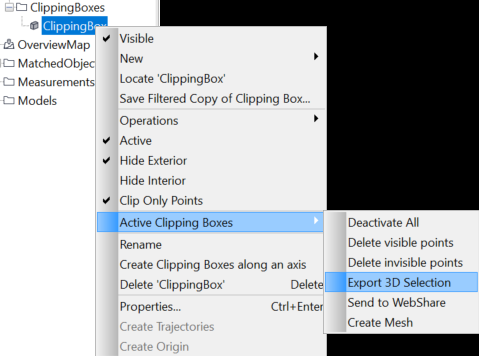
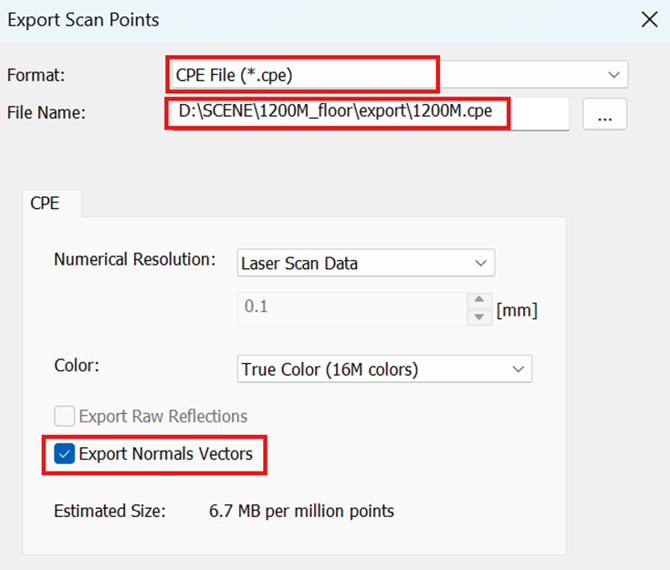
Export as .cpe export normal vectors.
Second Method:
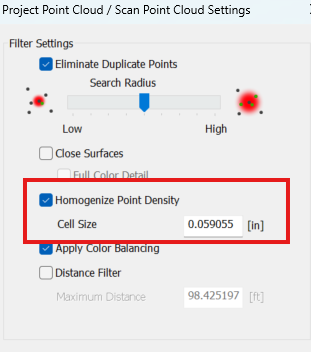
Create a project point cloud and homogenise the point cloud.
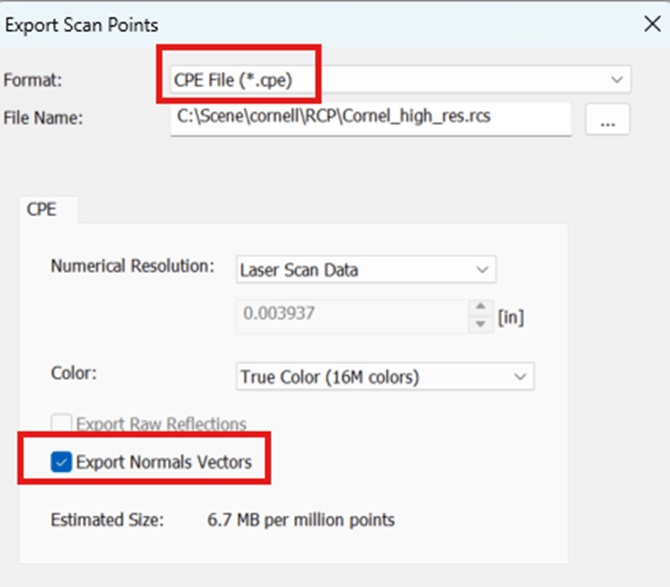
Then export the project point cloud as cpe, and export normal vectors.
Importing:
BuildIT Construction – importing pointcloud from SCENE
Open BuildIT Construction
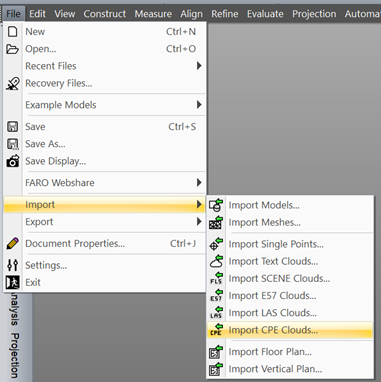
Click on File>Import> import CPE cloud
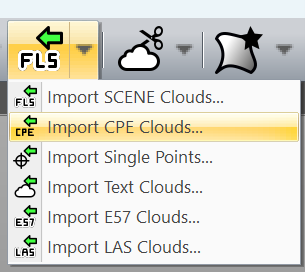
If using a workbench, you can also use this:
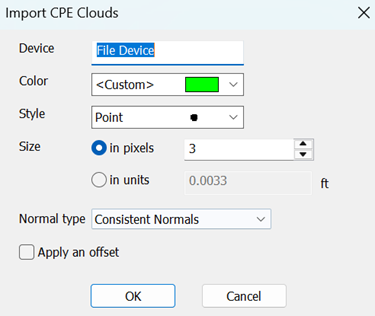
Select the file, and click ok
Several scan formats can be imported.
- Import Single Points
- This import should be used for a small number of points, not a point cloud. Examples include reference points, control points, etc.
- These file types include: .txt, .asc, .csv, .pts, .ref, and .xyz.
- Import Text Clouds
- This import should be used for point cloud files other than FARO files or E57 files, as listed below.
- These file types include: .txt, .asc, .csv, .pts, .ref, and .xyz.
- Import SCENE Clouds (FARO SCENE and Laser Scanner)
- This import should be used for raw FARO Focus Laser scan data, and processed SCENE scans.
- These file types include: .fls, .fws, and .lsproj.
- Import E57 Clouds
- This import should be used for E57 files.
- Import LAS Clouds
- This import includes LAS and LAZ files.
- Import CPE Clouds
-
This import is used for the CPE file format from SCENE.
-